How to delete all transactions associated with a portfolio
Quickly delete all transactions related to a portfolio from the Exceefy settings.
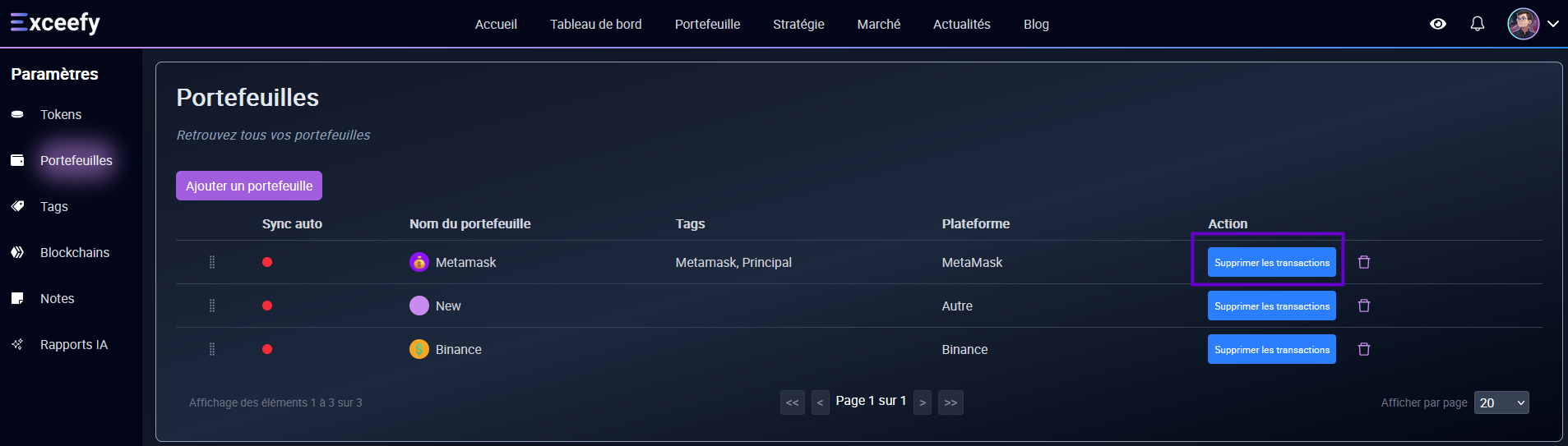
To remove all transactions from a portfolio in Exceefy:
Click on your profile photo.
See you in Settings > Wallet.
Select the portfolio concerned.
Click on the Bouton Delete all transactions.

⚠️Important:
This action permanently removes all transactions associated with the portfolio.
It is necessary if you then want to delete the portfolio itself or reset your data.